

API & Integrations
Issue scoped API keys so external apps can securely connect to ProactiveClinics, and read the built-in API reference.
For: AdminThe Integration API lets outside applications (for example a remote behavioral-health platform) securely exchange data with ProactiveClinics over a JSON REST API. Manage everything from Admin → API & Integrations.
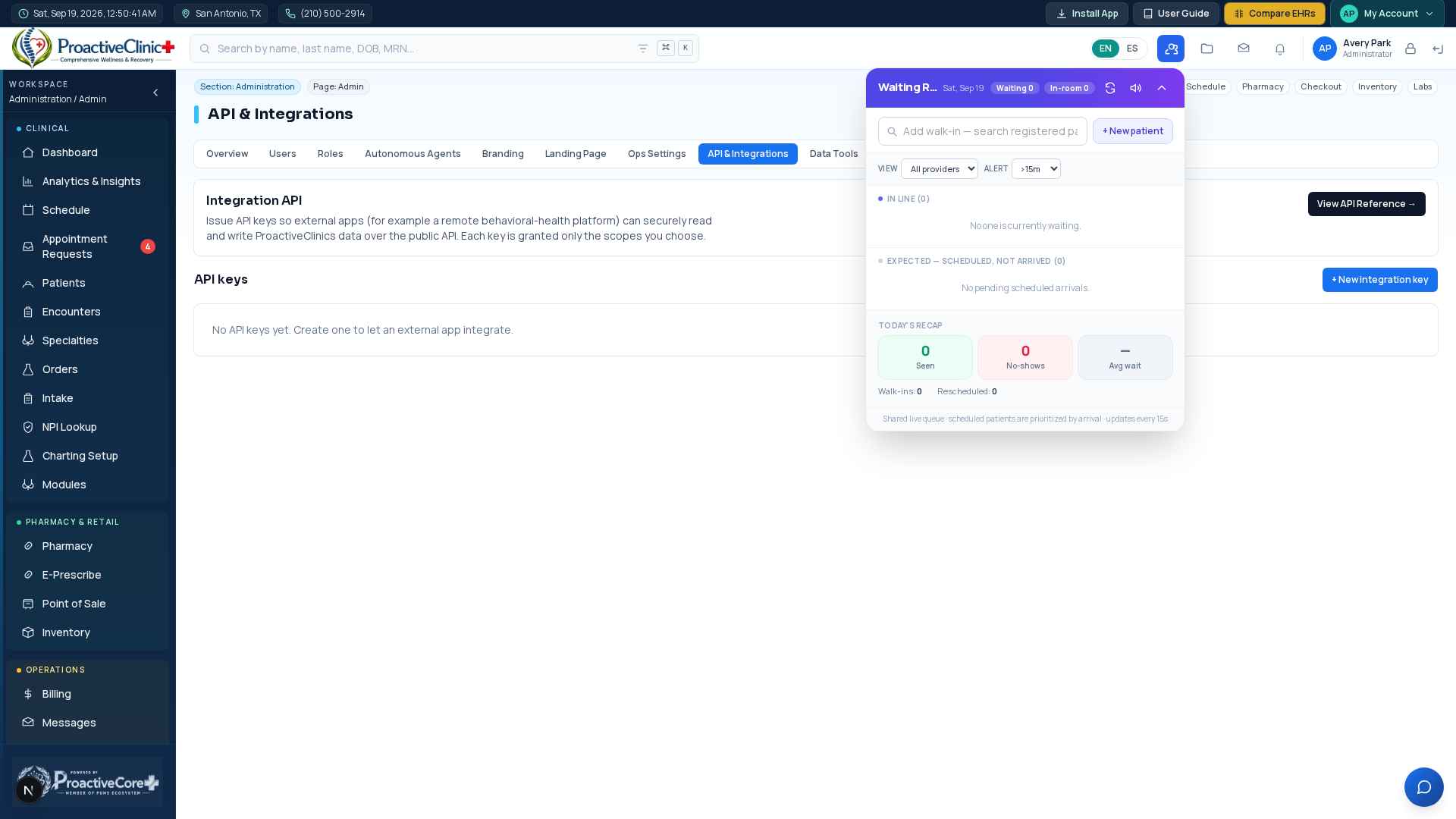
Create & manage keys
Issue an integration key
- 1Go to Admin → API & Integrations and click “+ New integration key”.
- 2Name the app, set a rate limit, and choose scopes (patients, appointments, encounters — read and/or write).
- 3Click Create. The Key ID and secret token are shown once — copy them now; the secret is stored hashed and never displayed again.
- 4Later you can Enable/Disable, Rotate the secret, or Revoke a key. Usage (request count and last-used) shows on each row.
How partners connect
For the external app
- 1Base URL: your clinic address + /api/v1.
- 2Send the token on every request as “Authorization: Bearer <keyId>.<secret>” (or the X-API-Key header).
- 3Endpoints: GET /v1/ping (verify), patients (list/create/get), appointments (list/create — auto-shifts clashes), encounters (list/create). Each is limited to the key's scopes.
- 4Open “View API Reference” on the page for full request/response examples and error codes.
Important:Give each partner their own key with only the scopes they need, and rotate or revoke immediately if a secret is ever exposed.