

Claims & Revenue Cycle
Prior authorization, claim submission, claim status, denials, ERA posting, enrollment and fee schedule.
For: Billing teamOpen Billing → Revenue Cycle. The workspace has tabs for Prior Auth, Claims, Denials, Remittances, Enrollment, Payers and Fee Schedule. This is the hub for the billing team.
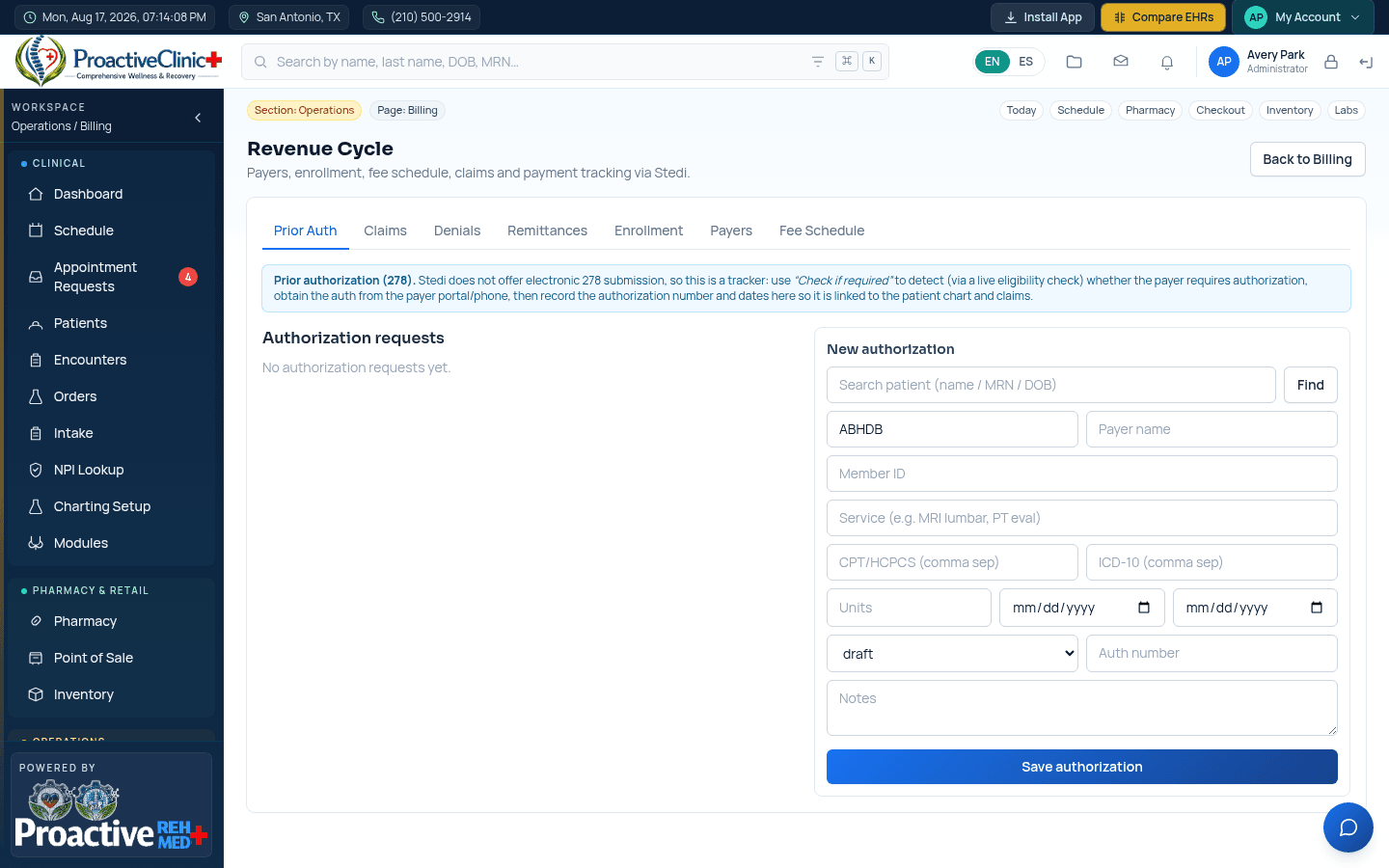
Prior authorization
Track an authorization
- 1On the Prior Auth tab, use “Check if required” to detect (via a live eligibility check) whether the payer requires authorization for a service.
- 2If required, obtain the auth from the payer portal/phone, then record the CPT/HCPCS, ICD-10, units, dates, status and auth number.
- 3Save — the authorization links to the patient chart and any related claims.
Important:Electronic 278 submission is not offered by the clearinghouse, so Prior Auth is a tracker/detector: it tells you when an auth is needed and stores the number and dates once you have it.
Submit and track claims
Claim lifecycle
- 1Create the claim from a signed encounter (charges, CPT/ICD, provider and payer).
- 2Submit the claim to the payer through the clearinghouse.
- 3Track its status on the Claims tab — submitted, accepted, paid or denied — with a stored status history.
- 4Work denials from the Denials tab: review the reason, correct, and resubmit.
Post payments (ERA / 835)
Remittances
- 1Electronic remittances (ERA/835) arrive automatically and appear on the Remittances tab.
- 2Each remittance is matched to its claim and can be reconciled to the deposit account it paid into.
- 3Payers or remittances without a linked, verified deposit account are flagged so nothing is missed.
Payer enrollment & deposit accounts
Enrollment
- 1Use the Enrollment tab to manage EDI/ERA/EFT enrollment with each payer.
- 2Link a verified bank/deposit account (set up in Billing → Bank & EFT) so ERA/EFT payments land in the right place.
- 3Maintain payer records and your Fee Schedule from their respective tabs.