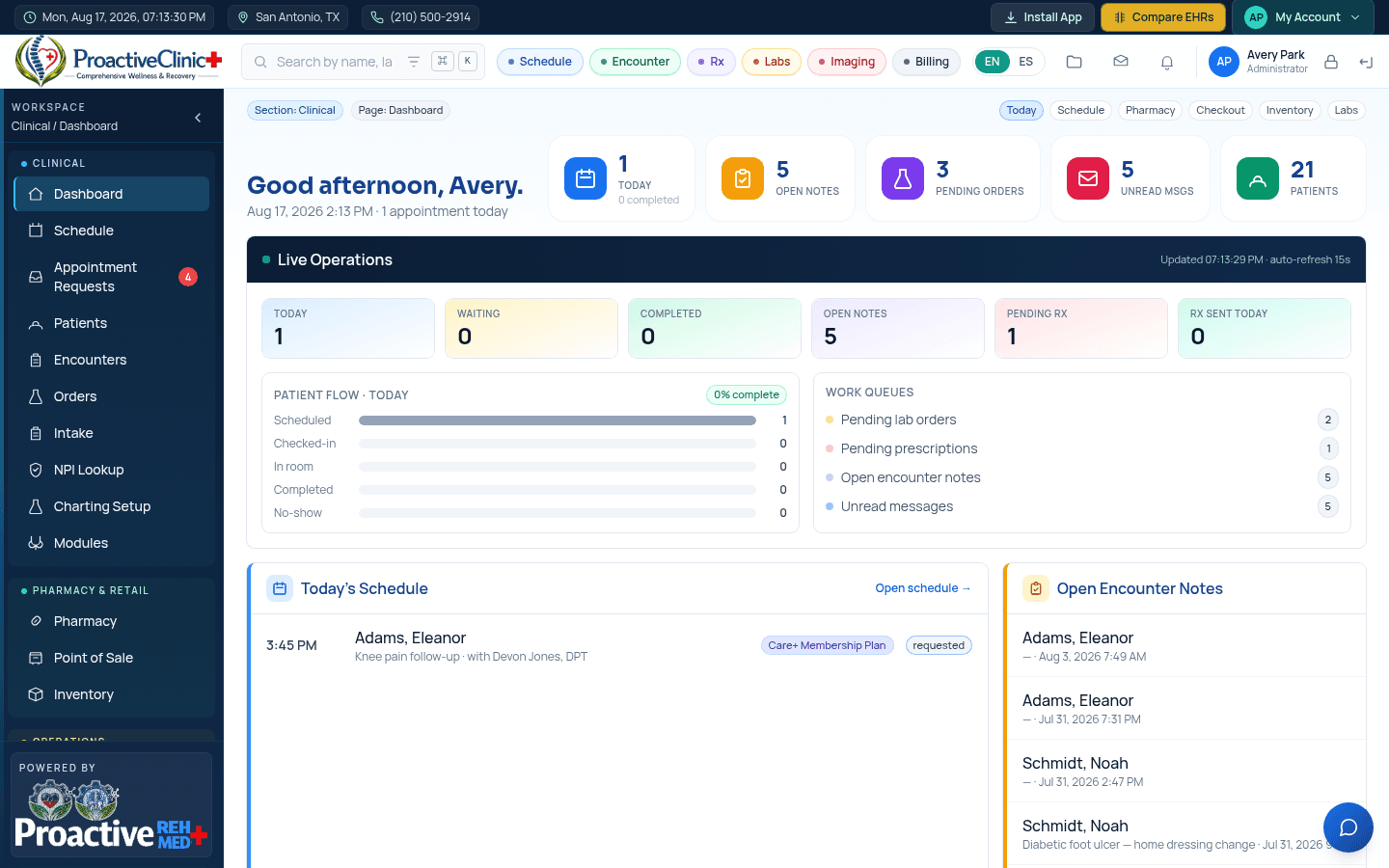

Dashboard
Your daily home base: today's numbers, live operations, and quick links.
For: All staffThe dashboard greets you with five KPI cards — Today, Open Notes, Pending Orders, Unread Messages and Patients. Each card is clickable and jumps straight to that area, pre-filtered where it makes sense.
The KPI cards
- 1Today → opens the Schedule.
- 2Open notes → opens Encounters filtered to unsigned notes.
- 3Pending orders → opens Orders filtered to pending items.
- 4Unread msgs → opens your Messages.
- 5Patients → opens the Patients list.
Below the cards, Live Operations shows a real-time snapshot of patient flow (scheduled, checked-in, in-room, completed, no-show) and work queues that auto-refresh, so the front desk and clinical team always see the same picture.