
Encounters & Clinical Notes
Start, document and sign visit notes (SOAP or simple format).
For: ProvidersThe Encounters list shows every note with its status. Use the All / Open / Signed chips to filter. Open notes are unfinished and appear on the dashboard until signed.
Document a visit
- 1Open the patient's appointment or start a new encounter from their chart.
- 2Enter the chief complaint, then document using SOAP (Subjective, Objective, Assessment, Plan) or the simple note format.
- 3Add diagnoses, orders and vitals as needed — they link to the encounter.
- 4Sign the note to finalize it. Signed notes are locked; corrections are made as an addendum.
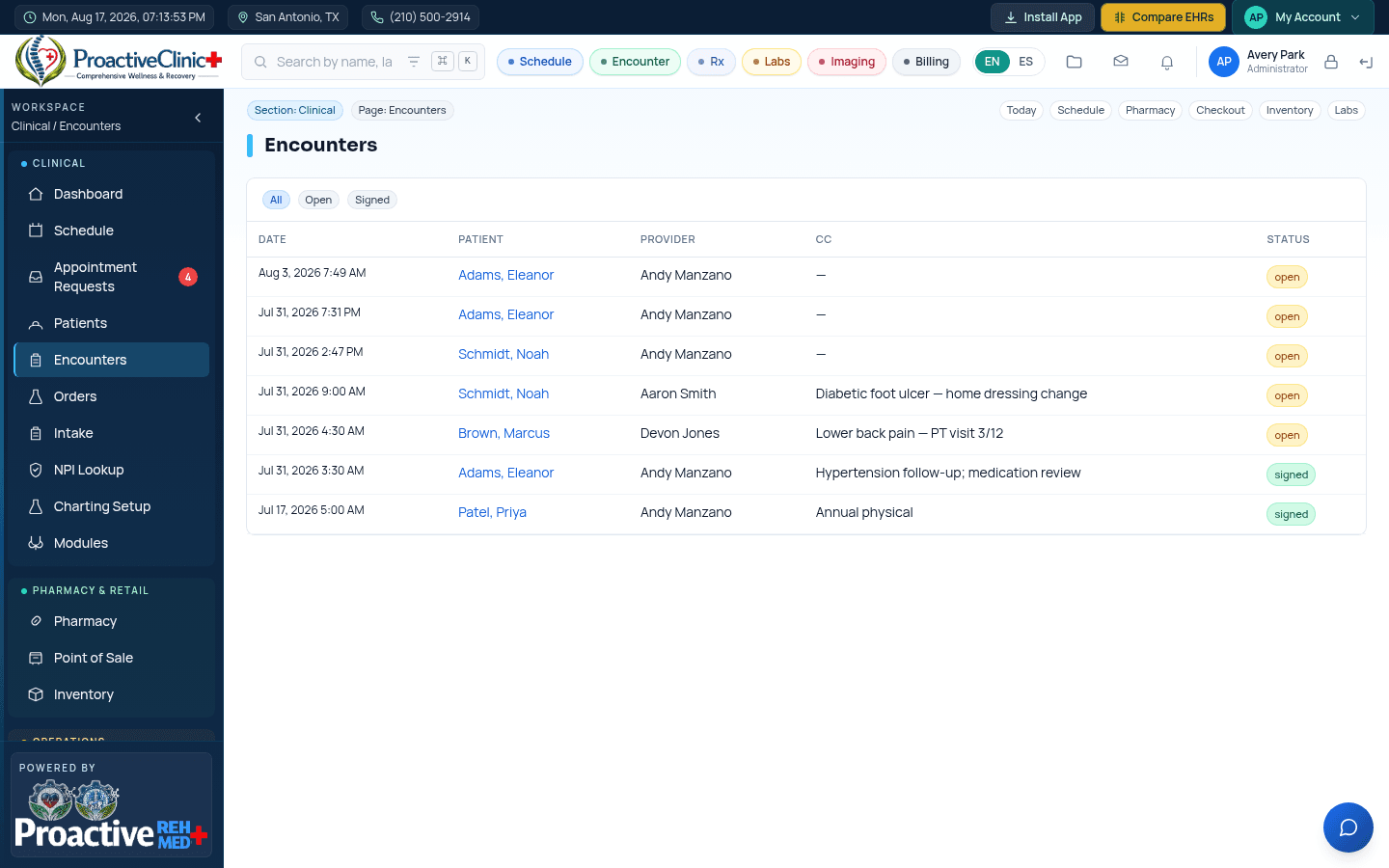
Tip:Unsigned (open) notes are the “Open notes” count on your dashboard — sign them promptly to keep charts and billing current.