
Patients & Charting
Register new patients, search records, and work inside the patient chart.
For: Front desk, MAs, providersRegister a new patient (front desk)
New patient
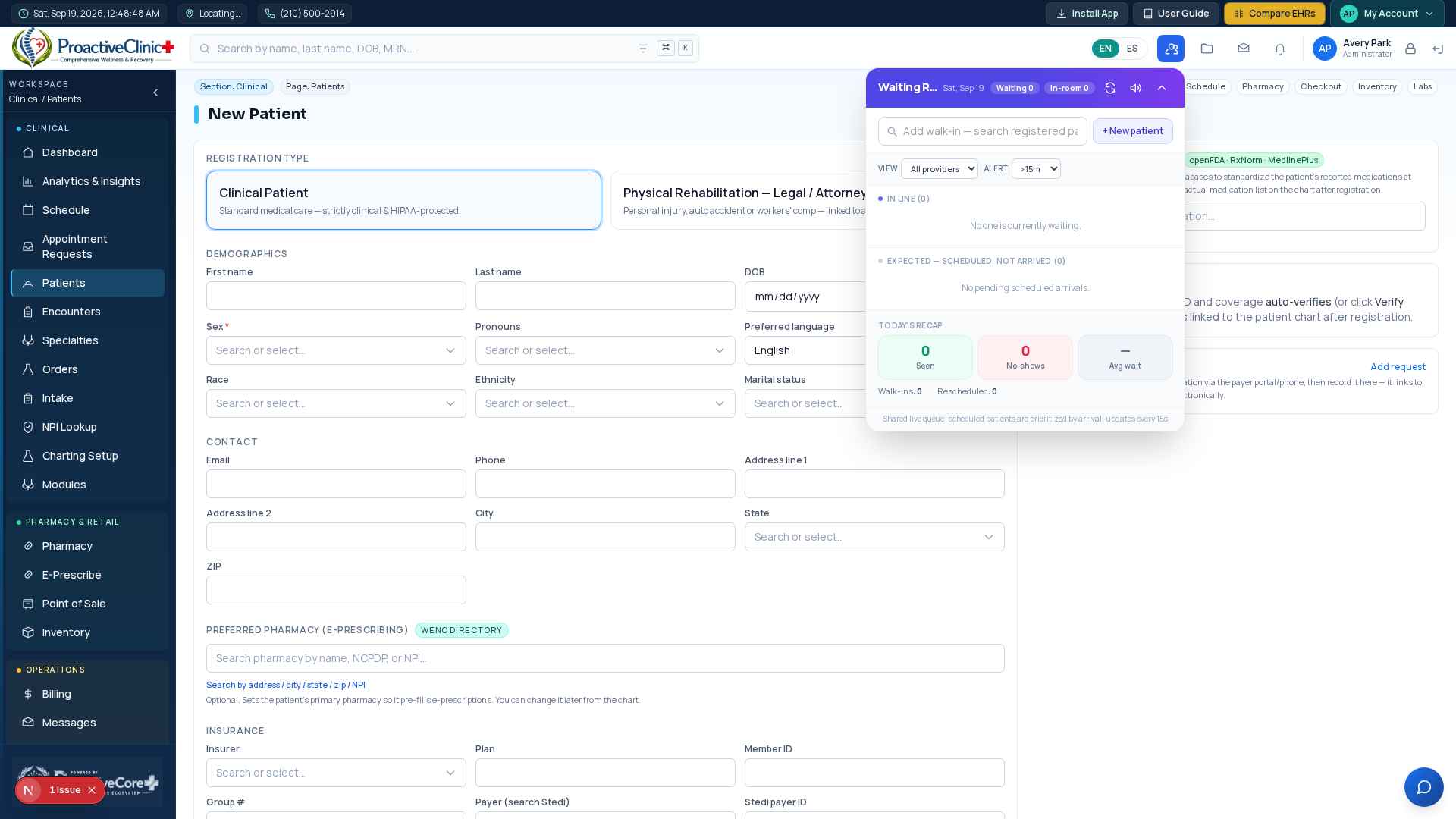
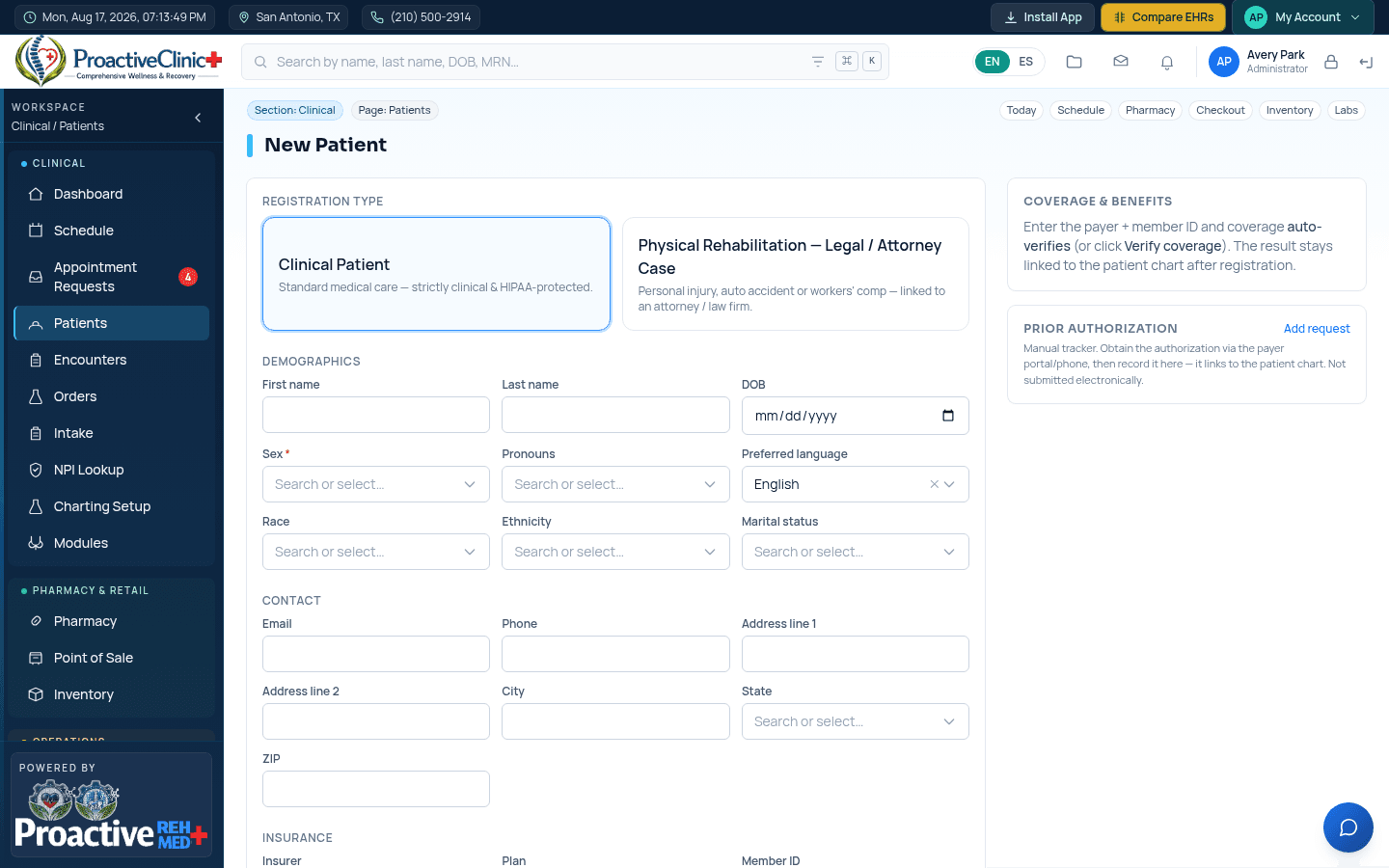
- 1Sidebar → Patients → New Patient.
- 2Enter demographics (name, DOB, sex, contact and address).
- 3Preferred Pharmacy (e-Prescribing): search the 89,000+ Weno directory (by name/NCPDP/NPI or address/city/state/zip) and pick the patient's primary pharmacy — it's optional and can be changed later from the chart.
- 4Add insurance: payer, member ID, group. Leave “Auto-verify coverage” checked to run an eligibility check automatically.
- 5Save. The patient gets an MRN and their verified coverage and pharmacy follow them into scheduling, the chart and billing.
Legal / Attorney case — Physical Rehabilitation (PIP)
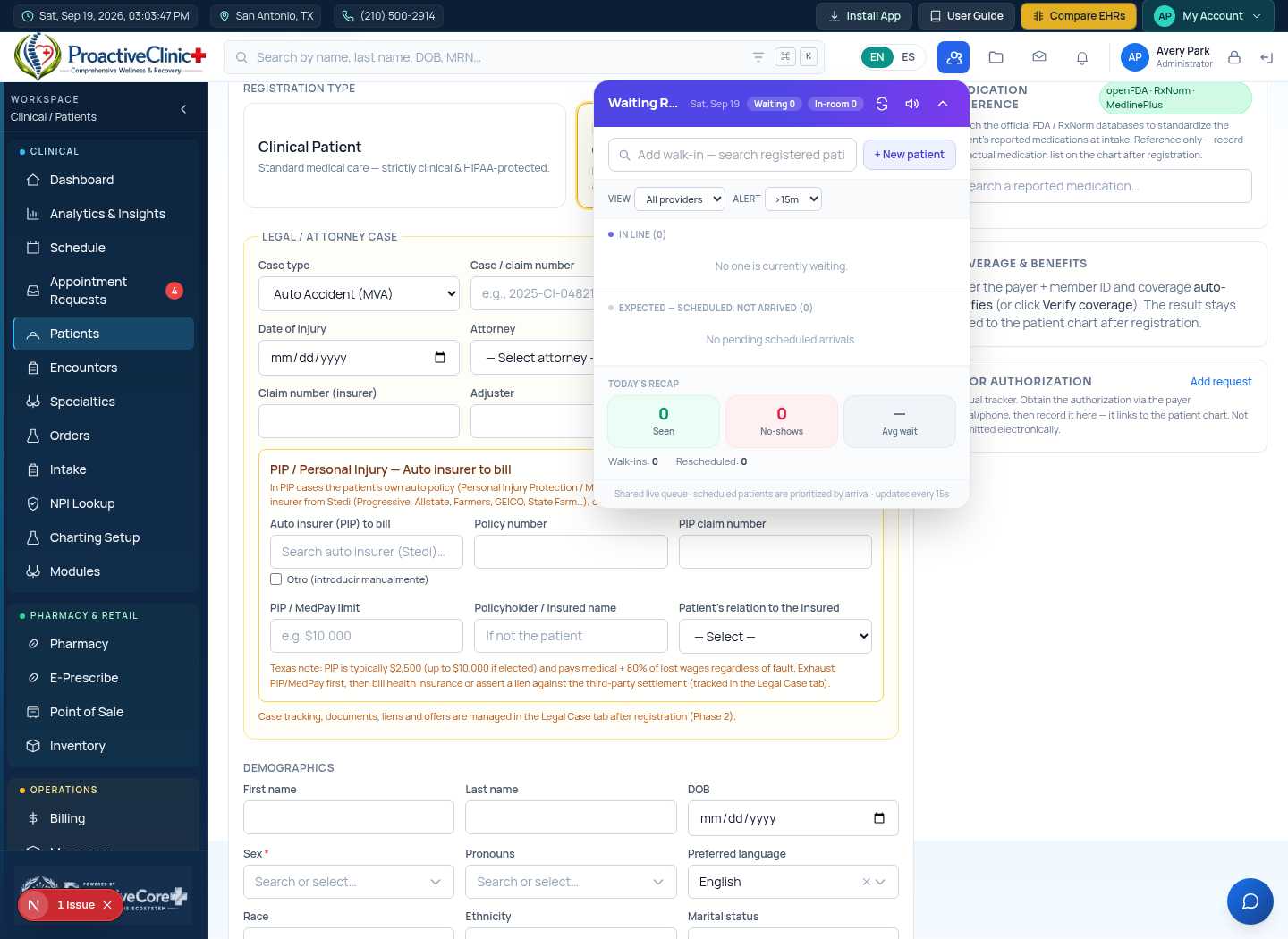
For personal-injury rehab patients referred by an attorney, switch the registration to a Legal / Attorney case. This captures the attorney, claim details and — for auto-accident/PIP cases — the automobile insurer to bill first.
Register a PIP / attorney case
- 1On the New Patient form choose the Legal / Attorney Case type, then set the Case type (e.g. Auto accident or Personal injury).
- 2A PIP (Personal Injury Protection) panel appears: search the auto insurer to bill from Stedi (Progressive, Allstate, Farmers, GEICO, State Farm…), or tick “Otro (introducir manualmente)” to type an insurer that isn't listed.
- 3Add the policy number, PIP claim number, PIP/MedPay limit, the policyholder (insured) name, and the patient's relationship to the insured.
- 4Save. The PIP insurer and policy details are stored on the patient's Legal Case tab, and new claims for this patient auto-route to that auto insurer as the primary payer.
Tip:PIP note (Texas): PIP/MedPay is billed first regardless of fault (commonly $2,500, up to $10,000 if elected). Exhaust PIP/MedPay, then bill health insurance or assert a lien against the third-party settlement — all tracked on the Legal Case tab. This is workflow guidance, not legal advice.
Find a patient
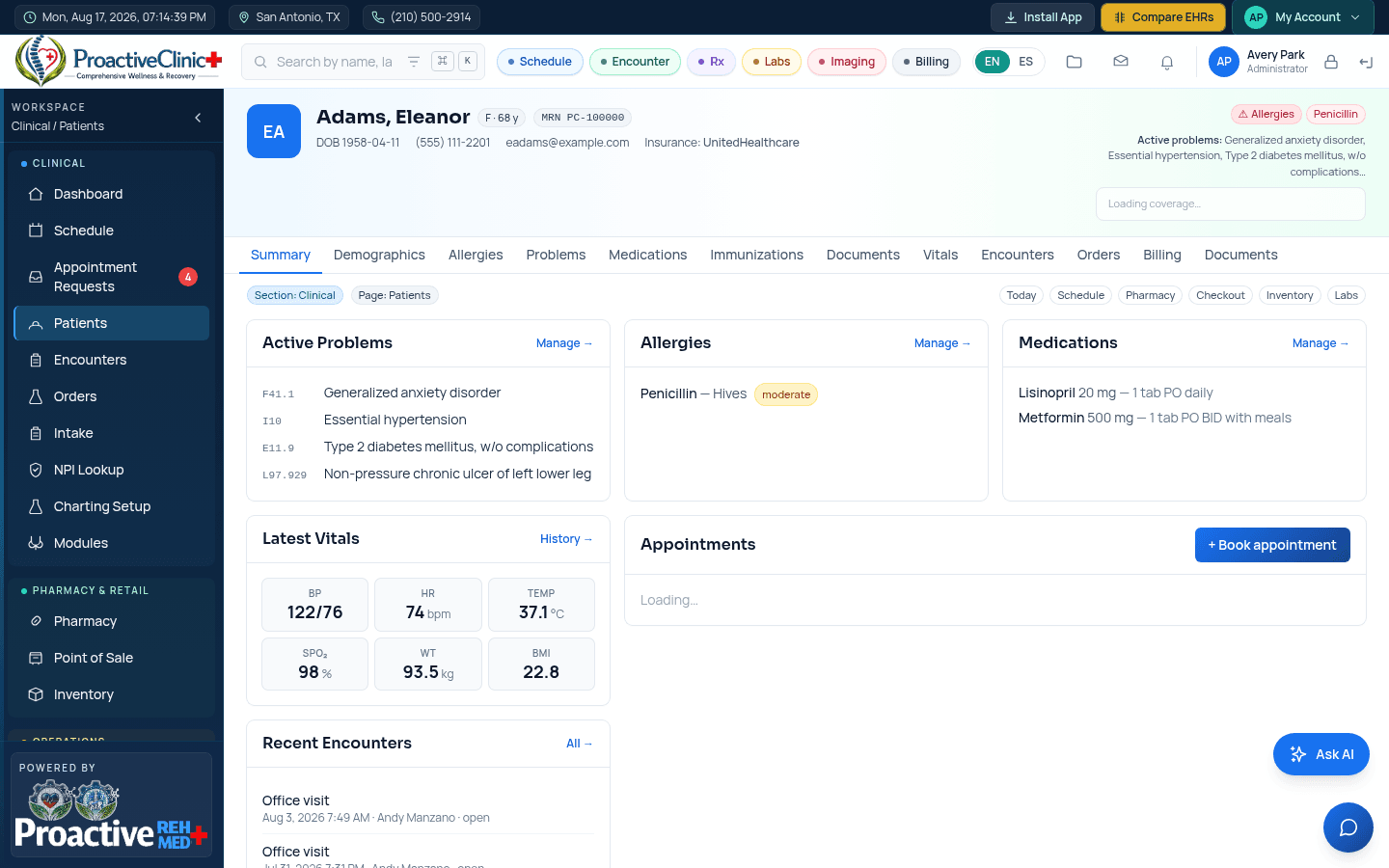
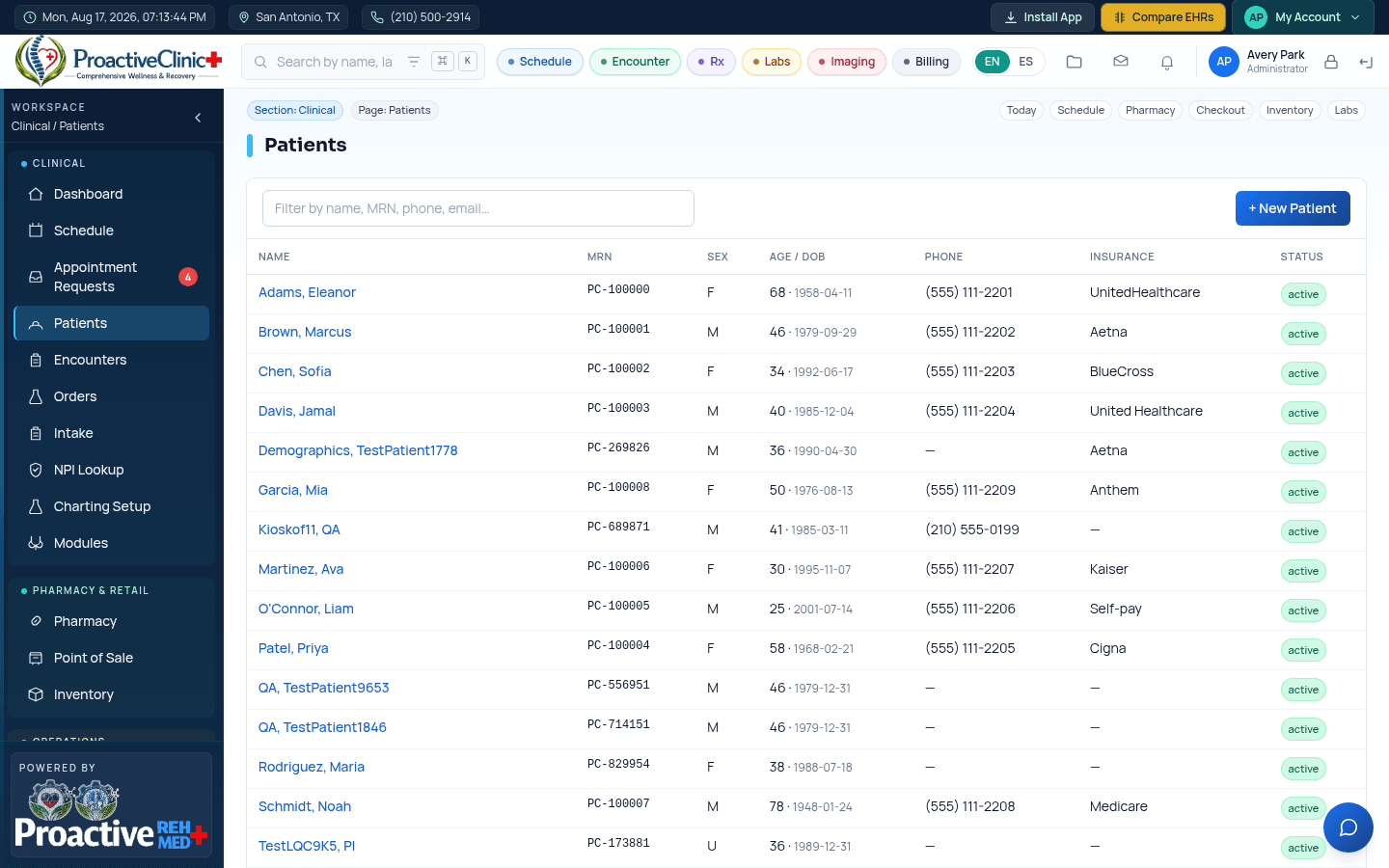
Use the global search in the top bar (search by name, last name, MRN or DOB) from anywhere, or open the Patients list and filter. Click a patient to open their chart.
Inside the chart
The chart has tabs for Problems, Medications, Allergies, Vitals, Immunizations, Documents, Orders, Billing and Legal, plus the patient header with coverage. Add or edit items from each tab; everything is timestamped and audited.