

Getting Started & Signing In
Log in, learn the layout, and find your way around Proactive Clinic.
For: All staffProactive Clinic is a web-based EHR/EMR you open in any modern browser — no install required. Staff sign in with an email and password; patients and attorneys use their own portals.
Sign in
To log in as staff
- 1Go to your clinic web address and click Staff Login (or open /login).
- 2Enter your work email and password.
- 3Click Sign In. You'll land on your Dashboard.
- 4Use the language toggle (EN / ES) at the top of the sign-in card if you prefer Spanish.
Tip:For security, you're automatically signed out after 30 minutes of inactivity. Never share your password — every action is tied to your account for the audit trail.
The layout
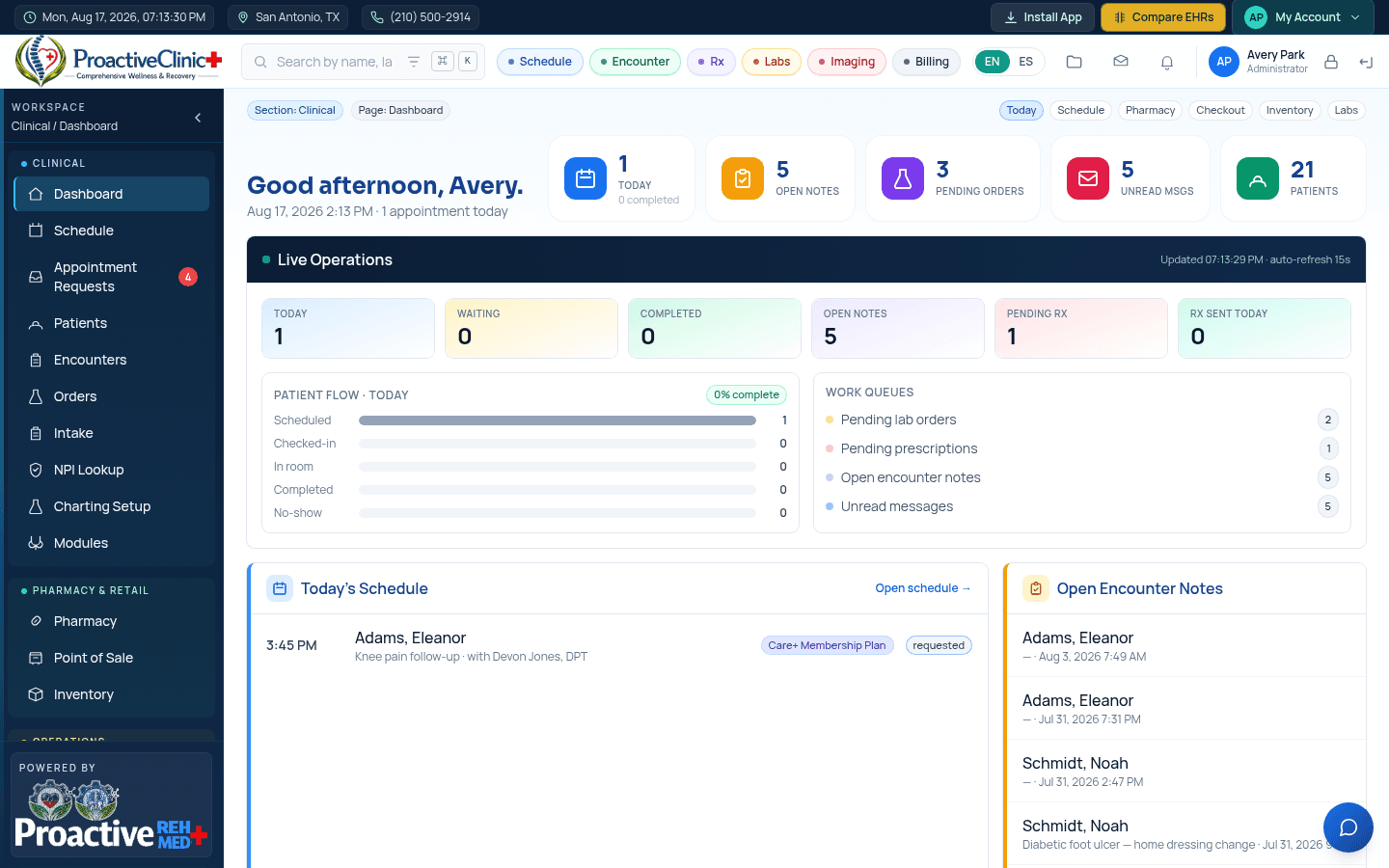
The left sidebar is your main menu, grouped into Clinical, Pharmacy & Retail, Operations and Admin. The top bar shows the current date/time, clinic location, global search, and quick actions. You can collapse the sidebar with the ‹ arrow to get more room.
Tip:All dates and times across the app are shown in Central Time (CT). Look for the “All times Central (CT)” badge on scheduling and booking screens.